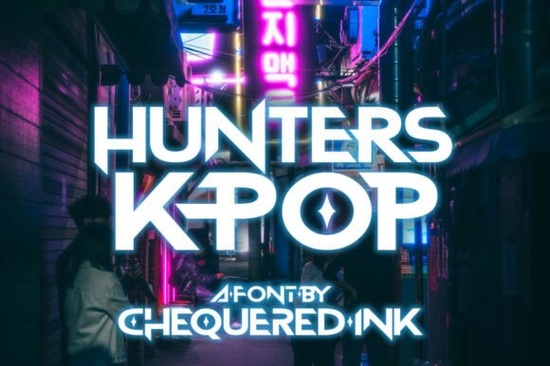
If you are looking for a typeface that captures the bold, high-energy feel of modern Korean music and electronic beats, Hunters K-pop Font delivers exactly that. Built with sharp, straight edges and distinctive cut-out counters, it brings a clean techno and dubstep aesthetic to any layout. Whether you design stream overlays, create print-on-demand apparel, or build assets for indie video games, this display style gives your work an immediate visual punch without feeling cluttered.
What makes this typeface stand out for music and gaming projects?
The letterforms rely on geometric precision and intentional negative space. Those cut-out counters are not just decorative; they help the characters stay readable even when scaled down for thumbnails or mobile screens. The straight lines and angular cuts mirror the rhythm of electronic tracks, which is why it fits so naturally on album artwork, concert posters, and Twitch panels. If you have ever struggled to find a typeface that feels modern but still legible at smaller sizes, this one solves that problem by balancing heavy strokes with open interior spaces.
Where does it work best in real design workflows?
Display fonts like this shine when used for headlines, logos, and short phrases rather than long paragraphs. You will get the best results when you apply it to:
- Album covers and digital single artwork
- YouTube thumbnails and live stream overlays
- Streetwear graphics and limited-run merch drops
- Indie game title screens and menu headers
- Social media quote cards and event flyers
Because the design leans heavily into a contemporary music aesthetic, it pairs well with dark backgrounds, neon accents, and minimalist layouts. Print-on-demand sellers often use this style for bold statement tees, while small business owners apply it to packaging labels that need a modern, youthful edge.
How do you pair it with other display typefaces?
When you are building a full branding kit or a multi-page layout, contrast is your best friend. Since this font carries a strong geometric presence, you can soften the overall design by combining it with something more organic or rounded. For example, you might balance the sharp angles with a flowing script like a delicate floral display style for secondary headings. If you need a heavier companion for subheads, a bold duo set with clean sans alternatives keeps the hierarchy clear without competing for attention. For seasonal campaigns, a lighter, breezier display option works nicely on tags and stickers, while a retro-inspired companion can ground the layout when you want a nostalgic contrast. You can also explore the full collection of matching display assets to keep your project files organized.
What should you check before adding it to your toolkit?
Before you commit to any new typeface, it helps to run a quick compatibility check. Make sure the file formats include OTF and TTF so you can install them across Windows, Mac, and design software like Illustrator, Photoshop, and Canva. Test the font at different sizes to see how the cut-out counters render on both screen and print. If you plan to sell physical products or digital templates, review the commercial license terms carefully. Some marketplaces require an extended license for print-on-demand sales, while others cover standard merch use out of the box. You can preview Hunters K-pop Font directly on the platform to check licensing details, glyph coverage, and included bonuses like multilingual support or alternate characters.
How do you get the most out of it in your next project?
Start by setting your main headline in all caps to emphasize the angular structure. Add a subtle drop shadow or outer glow if you are designing for dark mode interfaces, but keep the effect light so the cut-outs remain visible. When working with color, try high-contrast combinations like electric blue on charcoal or hot pink on black. If you are preparing files for print, convert the text to outlines before sending them to your printer to avoid substitution errors. Finally, save a style preset in your design software so you can reuse the tracking, leading, and color palette across future campaigns.
Quick setup checklist before you publish:
- Install both OTF and TTF files and restart your design app
- Test readability at 100 percent zoom and on mobile screens
- Verify commercial rights for your specific sales channel
- Pair with a simpler secondary font to maintain visual hierarchy
- Export a print-ready PDF with outlined text and embedded color profiles
Run through these steps, and you will have a polished, music-ready design that looks professional across every platform.
Download Now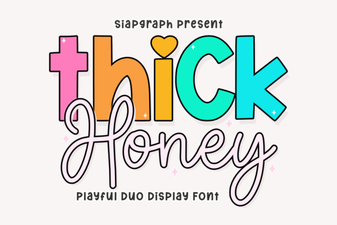 Thick Honey Duo Font for Creative Projects
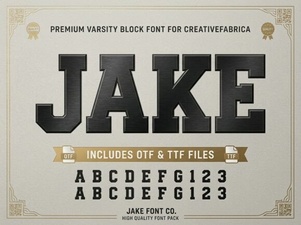 Jake Font: Creative Design Projects & Download Guide
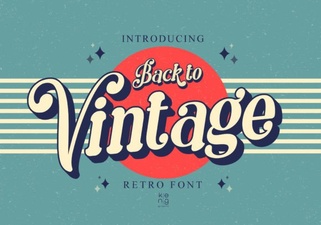 Vintage Fonts for Modern Design Projects
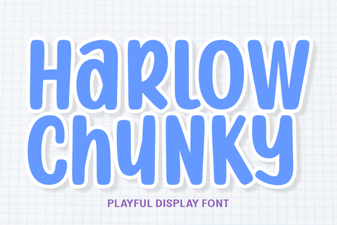 Harlow Chunky Font: Design Projects & Inspiration
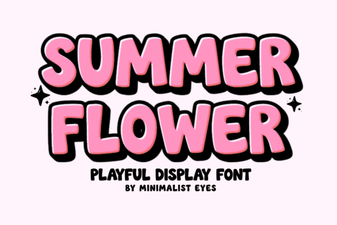 Fresh Fonts for Summer Flower Designs & Crafts
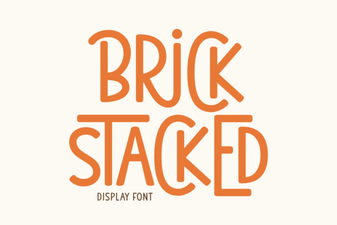 Creative Brick Stacked Typography Projects