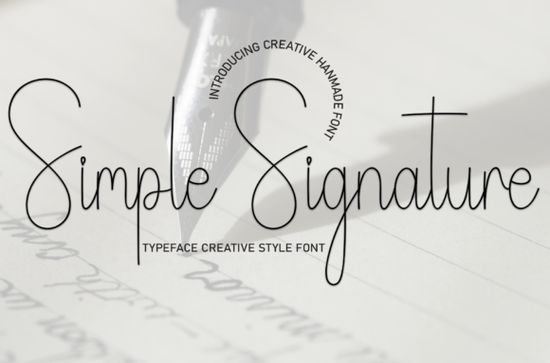
If you need a typeface that feels personal without looking messy, Simple Signature Font delivers exactly that. It is a sweet, friendly handwritten style that keeps readability front and center. Designers, crafters, and small shop owners often reach for this kind of script when they want to add a warm, human touch to wedding invitations, greeting cards, or product labels. The strokes are clean, the spacing is predictable, and the overall mood stays light and approachable.
What makes this handwritten style work for everyday projects?
Handwritten fonts can quickly become hard to read when the loops get too tight or the slant varies too much. This particular typeface avoids those pitfalls by keeping the letterforms open and the baseline steady. You get the charm of a casual signature without sacrificing legibility at smaller sizes. That balance matters when you are printing return addresses on envelopes, designing social media quotes, or laying out a boutique price tag. The consistent rhythm also means your text blocks will not look uneven, which saves time during the editing phase. Clear spacing and uniform stroke weight are what keep this style practical for real-world use.
Where does a friendly script font fit best?
Not every project needs a formal calligraphy style. Sometimes you just want something that feels like a quick note from a friend. This font shines in places where personality matters more than strict professionalism. Think baby shower invites, handmade soap packaging, teacher appreciation cards, or seasonal sale banners for an online shop. It also works nicely for print-on-demand items like mugs and tote bags, where a short phrase needs to stand out without overwhelming the graphic. If you are building a brand that leans cozy and approachable, a relaxed script like this keeps your messaging consistent across digital and physical touchpoints.
How do I pair it with other typefaces without clutter?
Scripts look their best when they have room to breathe and a simple companion to ground them. A clean sans serif or a sturdy serif usually does the trick. Use the handwritten style for headlines, names, or short accents, and let a neutral font handle the longer details like dates, addresses, or product descriptions. If you enjoy experimenting with different moods, you might also look at a relaxed weekend lettering style for casual branding, or try a handmade duo set when you need matching uppercase and lowercase options. For seasonal work, a rustic autumn script can complement cozy fall layouts, while a smooth dairy-inspired typeface works well for food packaging. When summer campaigns roll around, a breezy vacation style keeps the vibe light and readable.
What should I check before adding a new font to your toolkit?
Downloading a new typeface is easy, but making sure it actually fits your workflow takes a few quick checks. First, verify the file formats. Most design software handles OTF and TTF without issues, but some cutting machines and older programs prefer one over the other. Next, look at the character set. Does it include numbers, punctuation, and basic accents? Even a decorative font needs a complete alphabet to avoid broken text strings. Finally, review the licensing terms. Personal use and commercial use often have different rules, especially if you plan to sell physical products or digital templates. Keeping a simple spreadsheet of your font licenses saves headaches later.
How do I get the best results when printing or cutting?
Script fonts behave differently depending on your output method. For inkjet or laser printing, stick to a minimum size of 14 to 16 points so the thin strokes do not disappear. If you are using a vinyl cutter or laser engraver, convert the text to outlines first and check for overlapping paths. Welding or merging the letters prevents the machine from cutting through the middle of connected strokes. Always do a test run on scrap material, especially when working with textured paper or glossy finishes. A quick proof catches spacing issues before you waste expensive supplies.
Before you start your next layout, run through this quick setup list:
- Install both OTF and TTF versions if your software supports them
- Type out your full project text to check for missing glyphs or awkward kerning
- Pair the script with a plain sans serif for body copy and fine print
- Convert to outlines and weld paths before sending files to a cutter or engraver
- Save a licensed copy of the font folder in your project archive for future edits
Keep your designs simple, test early, and let the handwritten style do the talking without overcrowding the page.
Explore Design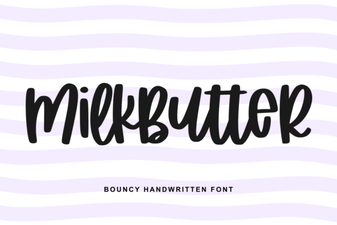 Milkbutter Font for Clean, Creative Web Design
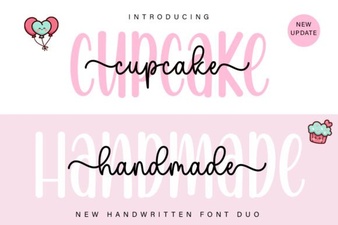 Cupcake Handmade Duo Fonts for Creative Projects
 Fresh & Free Hipster Fonts for Summer Projects
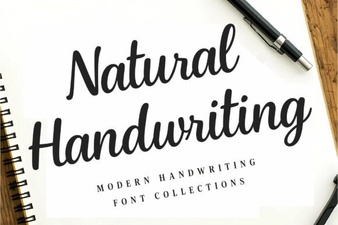 Design Creative Projects with Natural Handwriting Fonts
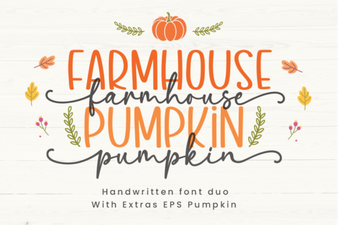 Farmhouse Pumpkin Font Design Ideas & Inspiration
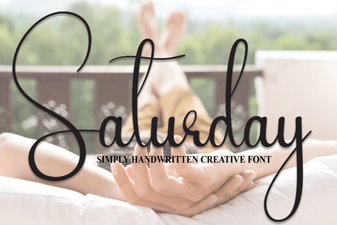 Saturday Font: Creative Styles for Weekend Projects