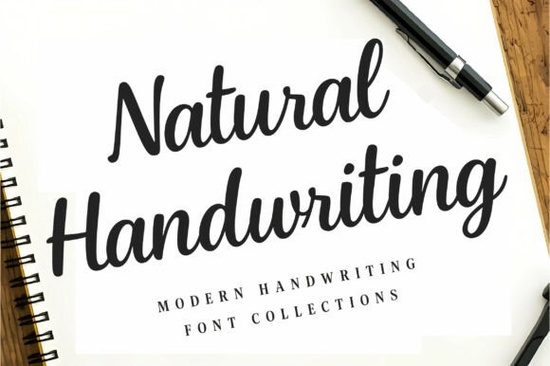
If you need a typeface that reads like actual pen on paper, the Natural Handwriting Font delivers exactly that. It skips the overly polished loops and stiff spacing you often see in digital scripts, opting instead for a moderate weight and smooth connections that mimic everyday writing. Designers, crafters, and small business owners choose it when they want projects to feel personal without sacrificing readability on screen or in print.
What makes this typeface feel so authentic?
Most handwriting fonts struggle with one of two problems: they are either too messy to read at small sizes, or they look so uniform that they lose their human charm. This collection finds a practical middle ground. The letterforms keep the quick, informal rhythm of real penmanship, but the spacing and baseline alignment are cleaned up for professional use. You get flowing connections that guide the eye naturally, while the moderate stroke weight keeps text crisp across different media. That balance matters when you are designing quote graphics, blog headers, or watermark signatures that need to look sincere but still legible.
Where does it work best in real projects?
Because the style stays understated, it adapts easily to different creative workflows. Print-on-demand sellers use it for journal covers and notebook layouts where a relatable, diary-like feel helps products stand out in crowded marketplaces. Stationery designers rely on it for thank-you cards, wedding invites, and packaging labels that require a warm, handwritten touch. Small businesses often pair it with clean sans-serif fonts for social media posts, email newsletters, and branding materials that need to feel approachable rather than corporate.
The font also handles well in multi-line layouts. If you are setting longer quotes or short paragraphs, the consistent x-height and open counters prevent the text from looking cramped. You can scale it down for product tags or enlarge it for poster headers without losing the casual rhythm that makes it work.
How do you pair it with other typefaces?
A realistic script rarely stands alone in a complete design system. It usually plays the role of an accent while a simpler font handles the heavy reading. When you want to keep the same relaxed vibe across a brand kit, you might test it alongside a relaxed summer script for seasonal campaigns, or swap in a soft, rounded alternative when your layout needs a gentler mood. For formal touches like email sign-offs or author bylines, a clean signature style complements the casual flow without competing for attention.
If your project leans toward playful packaging or kid-friendly stationery, try combining it with a playful handwritten duo to add structure to the layout. And when you are building autumn-themed printables or cozy home goods, a cozy seasonal typeface can ground the design while your main script stays light and readable.
What should you check before adding it to your workflow?
Handwriting fonts behave differently depending on your software and output method. Before committing to a full project, run through a few quick checks:
- Software compatibility: Verify that your design program supports OpenType features if you plan to use alternate glyphs or ligatures. Most modern apps handle them smoothly, but older versions may default to basic characters.
- Spacing at different sizes: Test the font at 12pt, 24pt, and 48pt. Scripts often need slight tracking adjustments when scaled up, and a touch more line height when set in paragraphs.
- Print vs. screen contrast: The moderate weight looks clean on digital displays, but ink spread on textured paper can thicken the strokes. Run a test print on your final material to confirm the edges stay sharp.
- Licensing for commercial use: If you are selling physical products, digital templates, or print-on-demand items, review the included license to confirm your intended use is covered. Most marketplace fonts separate personal and commercial rights.
You can explore the full character set and licensing details for the Natural Handwriting Font directly on the platform before downloading.
How do you get the most out of a handwritten style?
The trick to making any script look natural is restraint. Use it for headlines, short quotes, signatures, or accent words rather than long body copy. Keep your color palette simple so the letterforms remain the focal point, and leave enough white space around the text so the flowing connections have room to breathe. When you treat the font like actual handwriting, it stops looking like a digital effect and starts feeling like a genuine message.
Before you finalize your design, run through this quick checklist:
- Set the script at a comfortable reading size and adjust line height to at least 1.4 for multi-line text.
- Pair it with a neutral sans-serif or serif for supporting details like dates, URLs, or fine print.
- Check contrast against your background, especially if you are printing on kraft paper or dark cardstock.
- Export a test file at 100% scale to verify stroke clarity and spacing before sending to print or publishing online.
Take a few minutes to test your layout on the actual medium you plan to use, adjust the tracking if the letters feel too tight, and save your font pairing as a reusable style preset for faster workflow on future projects.
Learn More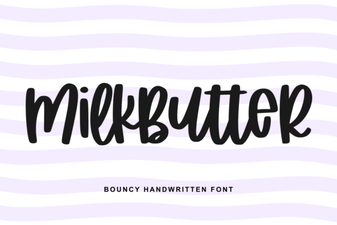 Milkbutter Font for Clean, Creative Web Design
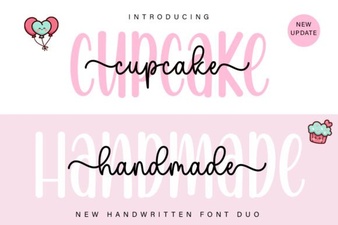 Cupcake Handmade Duo Fonts for Creative Projects
 Fresh & Free Hipster Fonts for Summer Projects
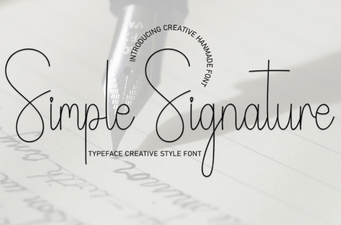 A Font for Signatures That’s Easy & Beautiful
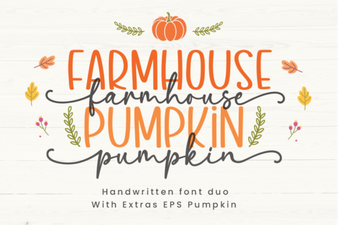 Farmhouse Pumpkin Font Design Ideas & Inspiration
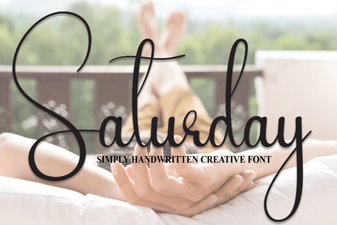 Saturday Font: Creative Styles for Weekend Projects